READY TO CREATE. TURN IDEAS INTO VIDEO.

Ready to generateAspect ratio: 16:9Live render pipeline v2.6

Finished Generation Showcase

Real outputs from Veo 3.1, Seedance 2, and Grok Imagine.

See what our models can actually deliver before you sign up. Compare visual power, motion behavior, and best-fit workflow, then start generating with the engine built for your result.

Conversion surfaceProof before signup
Veo 3.1 finished generation preview

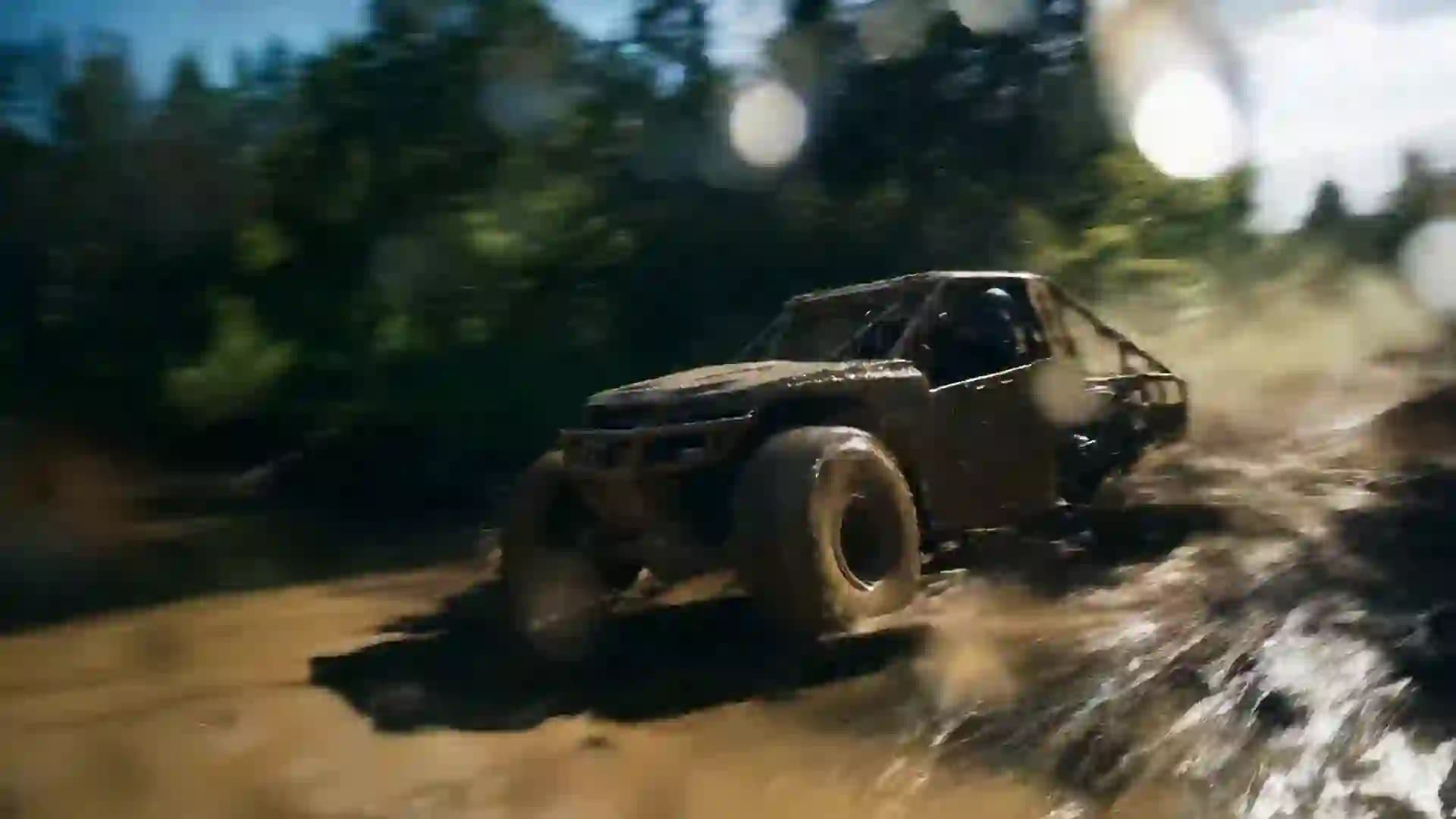
Veo 3.1

Extreme action

Off-road rally chaos with high-impact water crossing

Best for high-energy action sequences and aggressive environmental interactions.

Duration

8s

Aspect

16:9

Output

1080p

Prompt excerpt

A raw, embedded-camera off-road rally sequence through muddy forest terrain. A low-slung buggy hits a shallow river crossing at full speed, launching a massive opaque wall of muddy water, stones, and debris. A pursuing, heavily modified truck immediately punches through that airborne curtain at full throttle and lands hard on the far bank, still in hot pursuit.
Seedance 2 finished generation preview

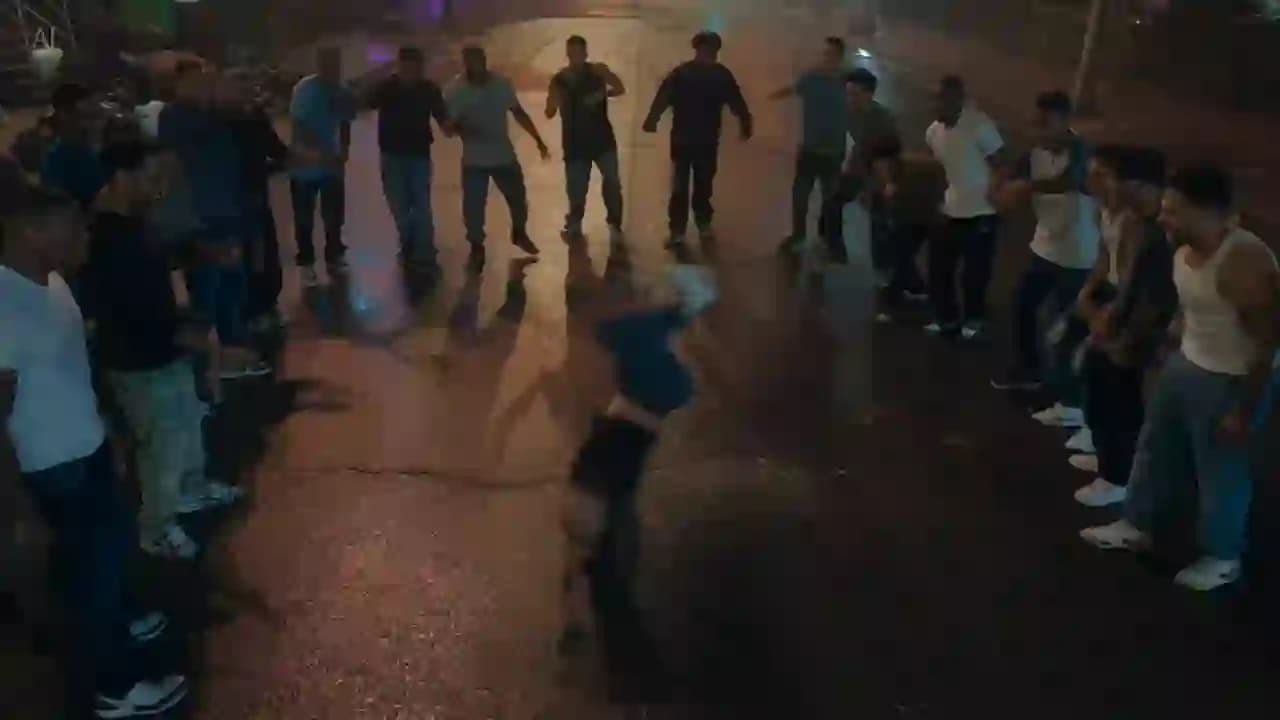
Seedance 2

Motion validation

Street dance battle with synchronized group motion

Best for motion-heavy draft validation and ensemble choreography tests.

Duration

15s

Aspect

16:9

Output

720p

Prompt excerpt

Generate a 15-second cinematic, photorealistic street dance battle video at night with reflective wet pavement, neon color blocks, and a thin layer of mist. Open on a solo dancer performing high-difficulty floor moves, then pull back into a 10-second group choreography sequence mixing breaking, popping, locking, and hip-hop with synchronized, powerful motion, realistic physics, and accurate body proportions.

Grok Imagine finished generation preview

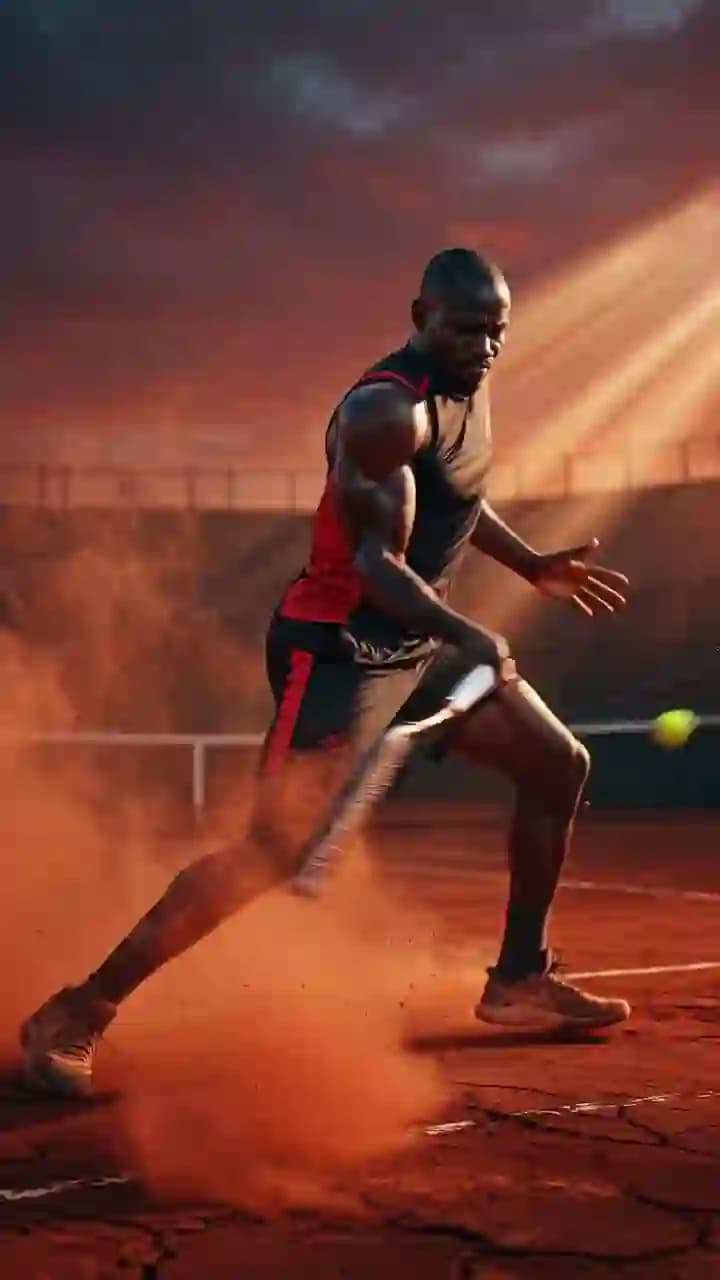
Grok Imagine

Portrait action

Portrait sports impact shot with dust and stadium light

Best for vertical action concepts and fast format exploration.

Duration

6s

Aspect

9:16

Output

720p

Prompt excerpt

An athletic tennis player on a gravel court drives the ball with force twice, kicking up dust on impact. Dark red storm clouds hang overhead while stadium lights cut through with sharp rays, creating a dramatic portrait-format sports scene with grit, speed, and visible airborne gravel.

Ready to create your first output?

Join now and start generating in minutes.

Use the same workflow shown above and launch your first render from the dashboard with guided model selection.

Workshop Overview — Public Brief

The operating surface for fast cinematic video production.

The hero routes you into KIEVIO CORE. These sections explain what the system is optimized for, when each model belongs in the pipeline, and how to move from input parameters to finished output without latency waste.

Engine mode

KIEV / IO CORE — LIVE EXECUTION

System value 01

Fast IO execution loop

Define parameters, execute render, and iterate in minutes with webhook-backed state updates.

System value 02

Model-level control

Choose Grok Imagine, Seedance 2, or Veo 3.1 paths based on speed, quality, and output goals.

System value 03

Production-ready outputs

Keep video files durable in storage with thumbnail-first browsing and signed URL access.

System value 04

Premium UX

Sophisticated cinematic interface built for creators, teams, and rapid campaign workflows.

Model Selection Ledger

Start with the model that matches the stage of the work, not just the feature list.

Decision ruleExplore with Grok — Validate with Seedance — Finish with Veo

Grok Imagine

Broad format coverage for fast concepting.

Use Grok when the team needs fast iteration speed, flexible aspect ratios, and enough motion control to test multiple directions before locking the brief.

Explore Grok model

Seedance 2

Low-latency passes for draft validation.

Use Seedance 2 when you need faster feedback loops and quick direction checks before committing to a final polish workflow.

Explore Seedance model

Veo 3.1

Premium fidelity for finishing and upgrades.

Use Veo 3.1 when the direction is clearer and the output needs more polish, better finishing leverage, or upgrade paths like 1080p and 4K.

Explore Veo model

Output Use Cases

The system is built for daily production, not just one-off visual experiments.

Use case 01

Social ad concepts

Use case 02

Product launch teasers

Use case 03

Creator UGC-style clips

Use case 04

Story-driven brand videos

Use case 05

Moodboards and pre-visualization

Use case 06

Motion tests before production

Workflow

Three moves from input to output log.

Define parameters, route to the right model, then review and export once the render proves itself.

Step 01

Write your prompt

Define scene, camera movement, pacing, and visual intent in one prompt.

Step 02

Choose the engine

Start with Grok for exploration, use Seedance for fast validation passes, and route to Veo when the output needs a final finish.

Step 03

Review and archive

Track task progress in realtime, inspect the result, and archive the final output through signed access.

Comparison

Decide before you spend credits on the wrong path.

Compare Grok and Veo trade-offs, then map Seedance 2 into your draft-validation stage before launching the next execution batch.

Open model comparison

FAQ

Which model should I use first?

Start with Grok Imagine for broad aspect-ratio flexibility, use Seedance 2 for fast draft validation loops, and move to Veo 3.1 when you need premium finishing quality and upgrade paths.

How do I get final video files?

Render records update in realtime. Completed outputs can be opened in detail view and downloaded through signed URLs.

Can I scale this for team workflows?

Yes. The platform is built around asynchronous render execution, webhook state updates, and durable storage so multiple tasks can run in parallel.

How are credits and pricing handled?

Credit usage depends on the selected model and output options. Billing and ledger improvements are planned in the Stripe-backed credits phase.

Next move

Initialize IO, route it well, and let KIEVIO CORE execute.

Begin from the hero composer, choose the model that fits the stage of the work, and turn rough direction into a usable asset faster.